
Showing which homes
are still available
There are three ways. Light each apartment separately and switch it from an app on an iPad or Android tablet, so the sales team can show what is still available. Mark the model by hand with small markers. Or keep availability on a screen beside the model. Separate lighting must be decided before the build starts, because the wiring goes in first.
Three ways
| Method | What buyers see | Who updates it | When to decide |
|---|---|---|---|
| Lighting per apartment | The apartments in question light up in the building itself. | The sales team, on a tablet, in seconds. | Before the build. The wiring is the first thing that goes in. |
| Markers by hand | A small dot or flag on each sold home. | The sales team, by hand, at the model. | Any time. It works best on low-rise plans, where every home has a roof to mark. |
| A screen beside the model | A list or a plan with status and details. | Whoever keeps the sales system. | Any time. The model stays as it is. |
A light for
every apartment
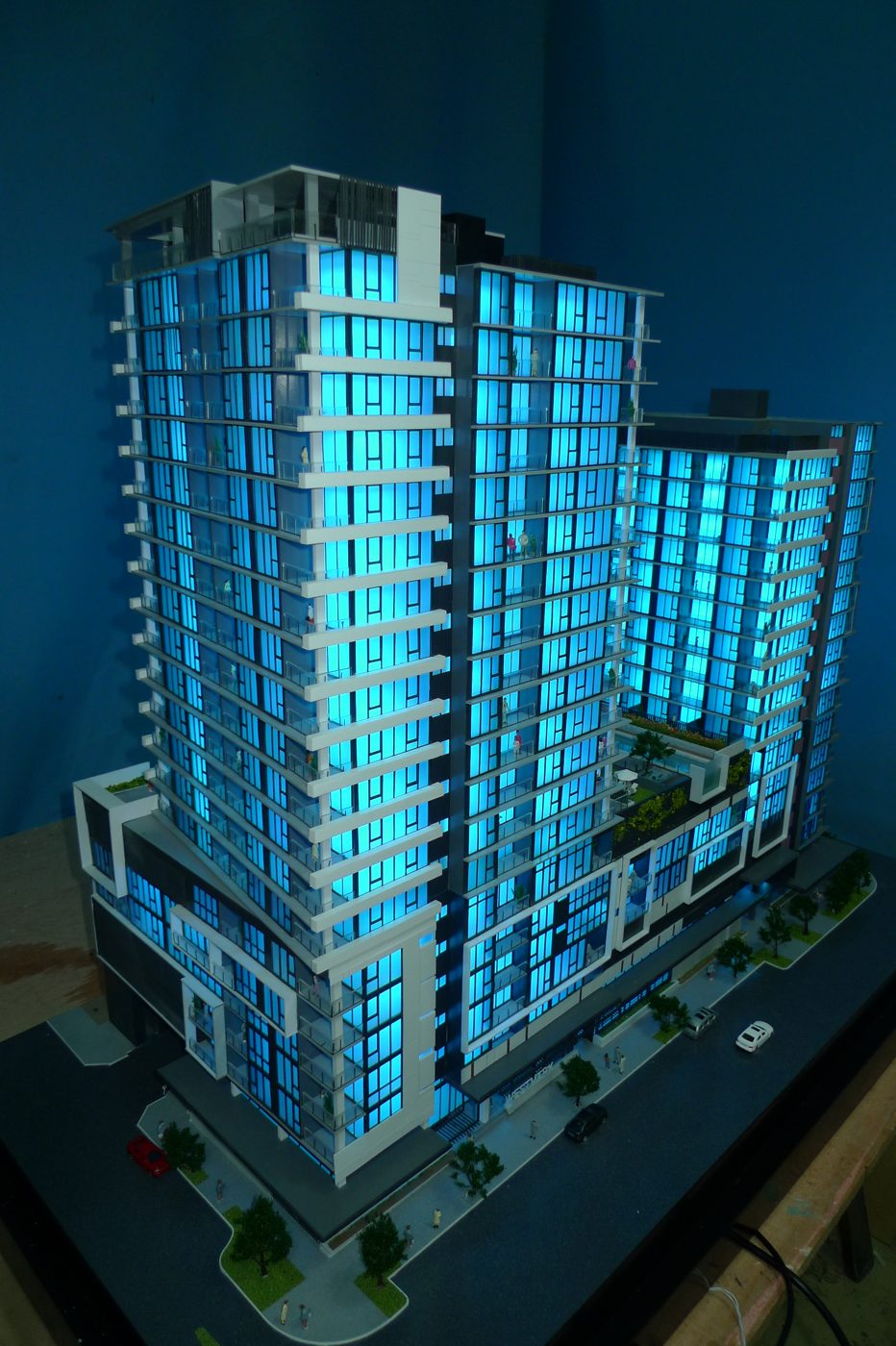
Each apartment in the model has its own light, wired separately. The lights are connected to a controller in the base, and the controller is run from an app on an iPad or an Android tablet. In the app the sales team switches apartments on and off one by one, and can change the light.
In a sales conversation this does two things. It answers the question of what is left: light only the apartments that are still available and the buyer sees them in the building, with their height, their corner and their view. And it answers the question every buyer asks next, which one is mine, by lighting a single apartment in a dark building.
It has to be planned from the first drawing, because the wiring goes into the building before the facades close it. The workshop needs the list of apartments and their numbering at the start, as the sales team will use them.
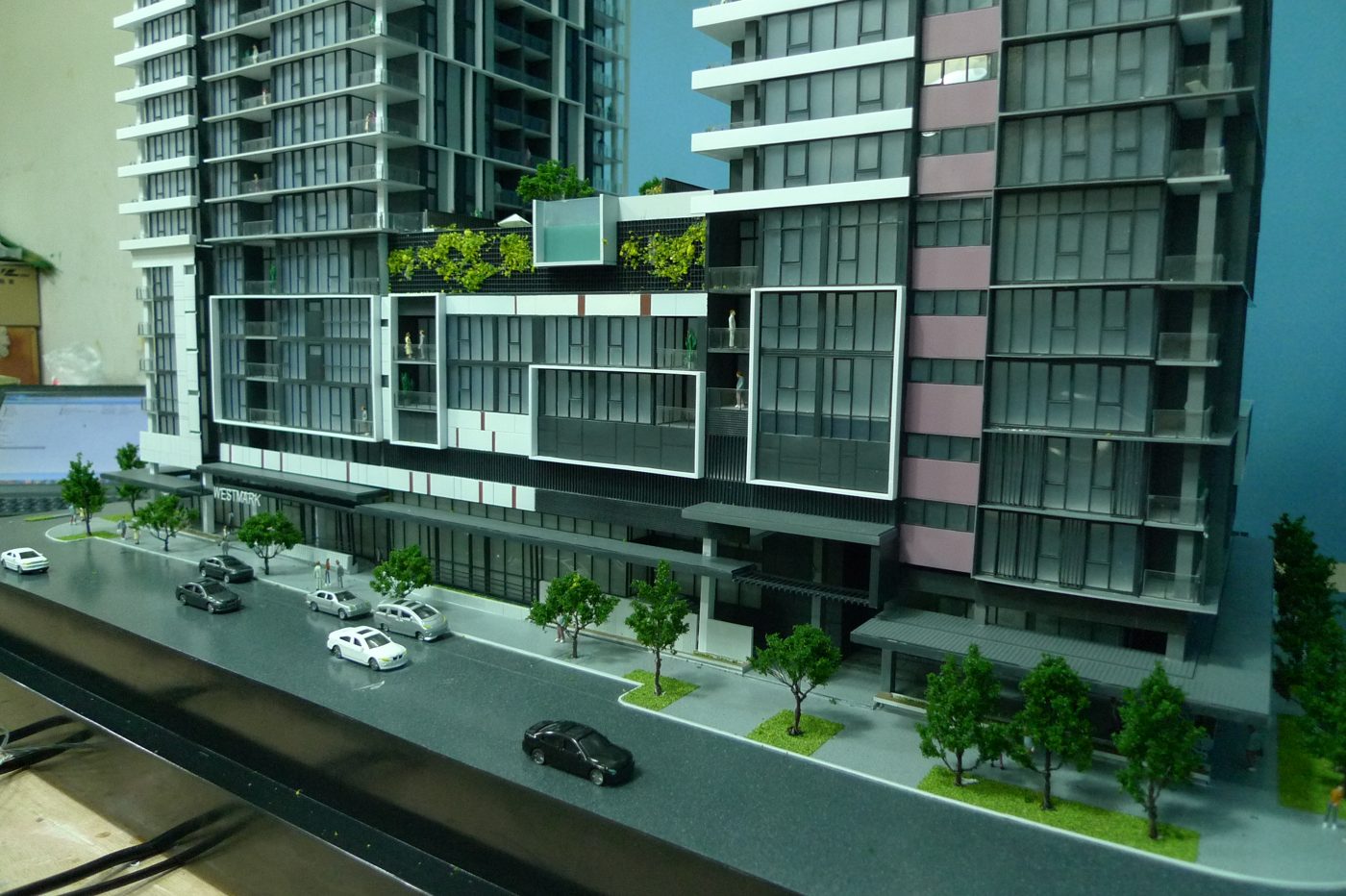
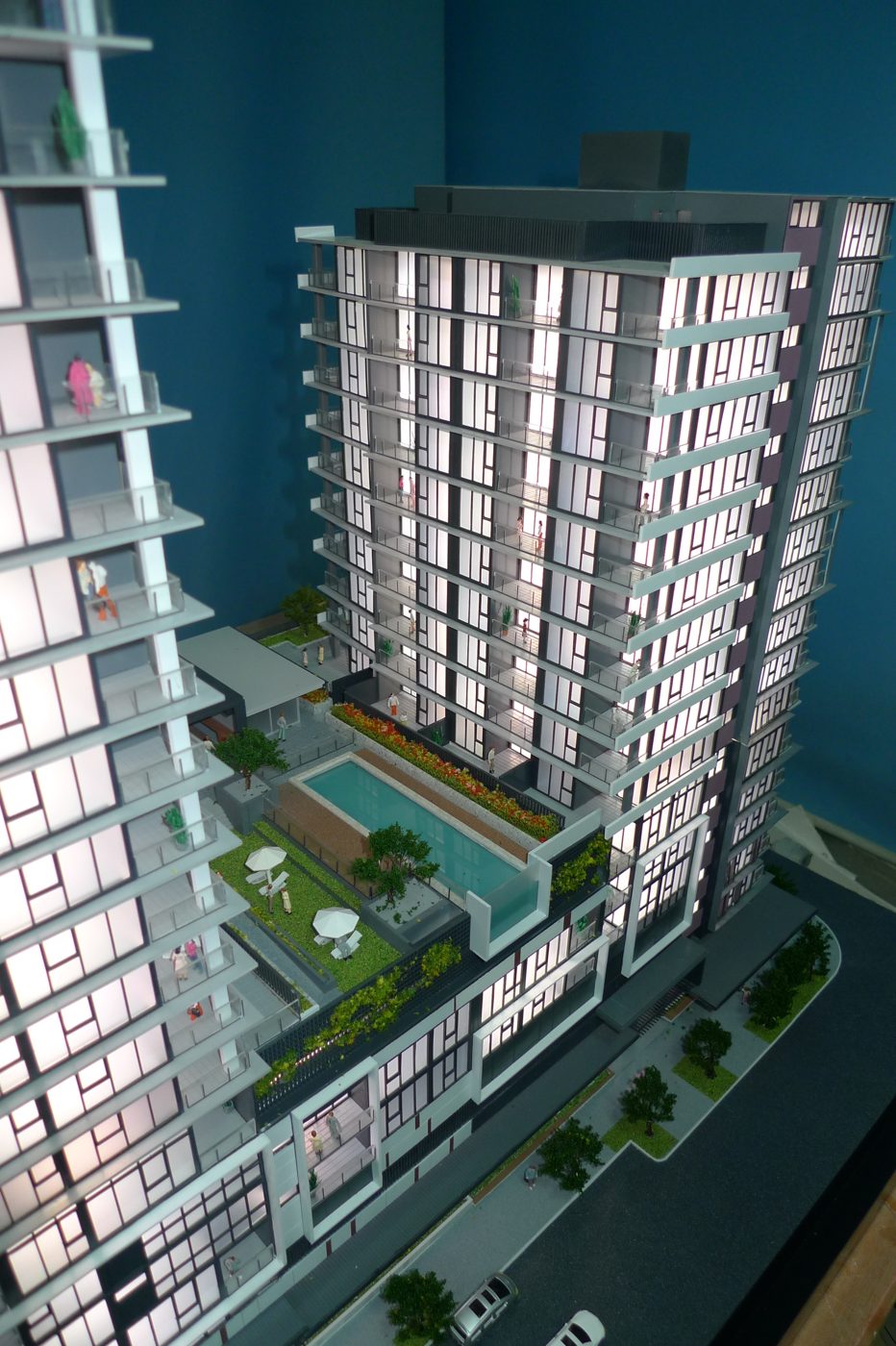
Westmark, 1:100
Westmark is a residential development in Australia. We built its sales model at 1:100 in 2013, with the lighting controlled per apartment. The three photographs below were taken in the workshop.
Should sold homes
be shown at all?
Sales teams disagree, and both views are reasonable. Showing what is sold tells a buyer that others have committed, and that the choice is narrowing. Showing only what is available keeps the conversation on what the buyer can still have.
Lighting per apartment leaves the choice open. The same model can show the sold homes one day and the available ones the next, and nothing has to be stuck on or peeled off.
The model
and the screen
The model shows where a home is. A screen shows what it is: the floor plan, the size, the price. Most sales suites use both.
The sales model planner works out the size of the model, the height of the table and the room around it. Model or 3D? sets the model beside renderings and virtual tours.
Read next
- Sales models
Models built for display suites and launches.
- Sales materials for selling off-plan
Which material carries which stage of the sale.
- High-rise models
Towers from the archive.
Which one is mine? The one that is lit.